



From RFQ to Invoice Government Contractor Quoting & Invoicing Software
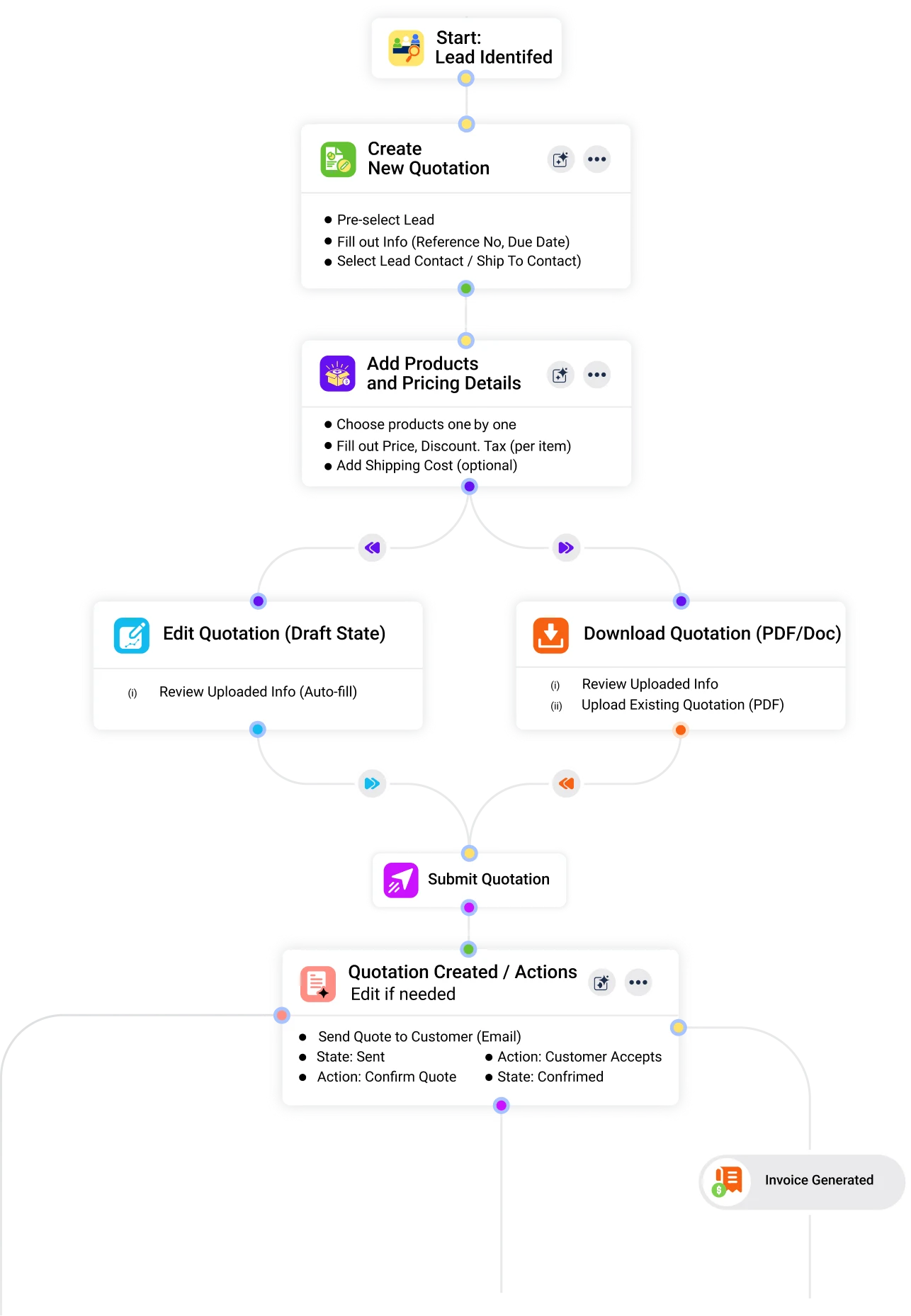
GovOps360 manages the full government contractor quoting and invoicing workflow from generating vendor quotes for RFQ responses and GSA Schedule orders, to building customer quotations with MSRP pricing, to converting accepted quotes into invoices automatically through government contractor invoicing. Every step is connected to your lead, proposal, and project records.

Apply GSA Schedule discounts, agency-negotiated pricing, or volume discounts. Handle tax-exempt government purchases, shipping and handling, and contract-specific terms.

Government Contractor Quoting & Invoicing: How GovOps360 Connects Quotes to Contracts to Invoices
GovOps360 government contractor invoicing software manages the full billing workflow from requesting vendor quotes for RFQ responses and GSA Schedule orders, to building customer quotations with MSRP and labor category pricing, to converting accepted quotes into DCAA-aligned invoices automatically. Every quote and invoice is connected to the lead, proposal, and project record, eliminating manual data entry at every stage.
Five Government Contractor Quoting Capabilities
Lead-to-RFQ-Response Conversion
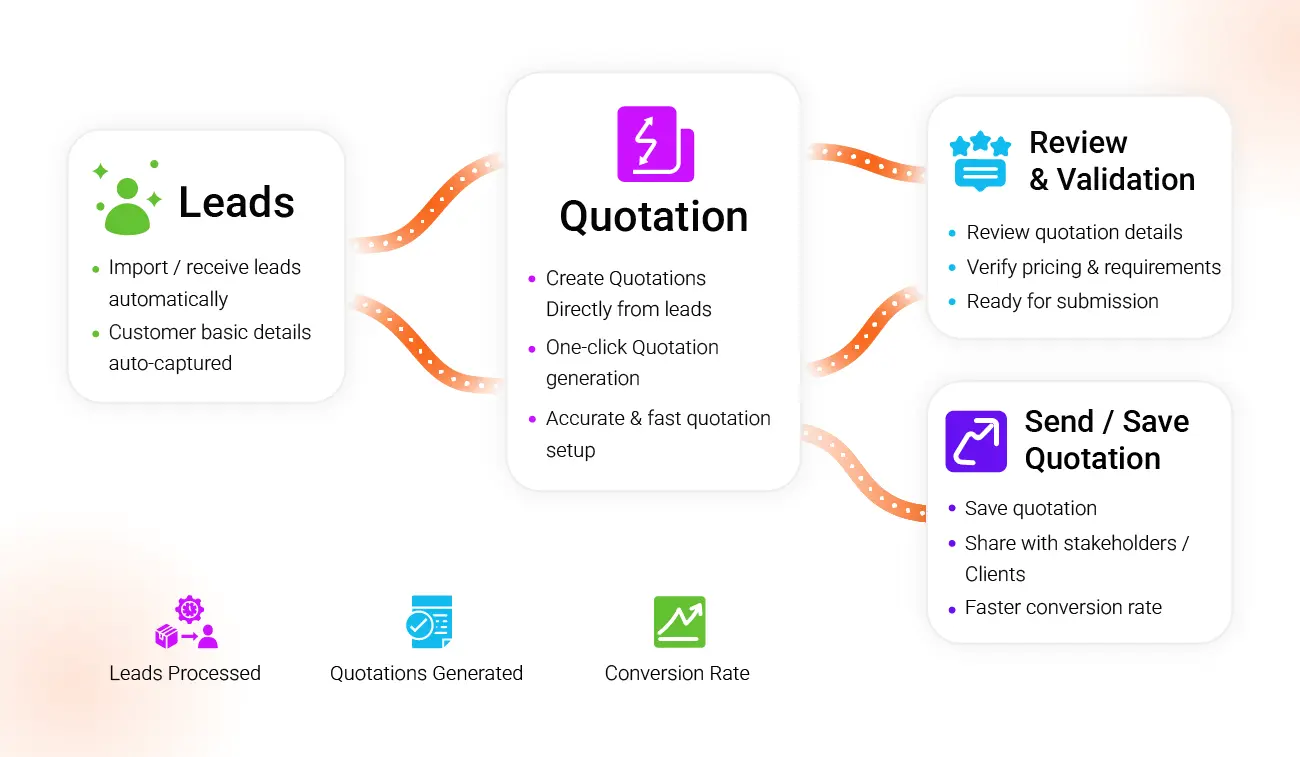
With government contractor invoicing feature, you can generate quotations directly from any active lead in GovOps360, automatically linking the government agency’s name, CAGE code, contract vehicle, NAICS codes, and solicitation reference number. Build GSA Schedule order responses, IDIQ task order quotes, and open market RFQ responses with all required agency details pre-populated and accurate.
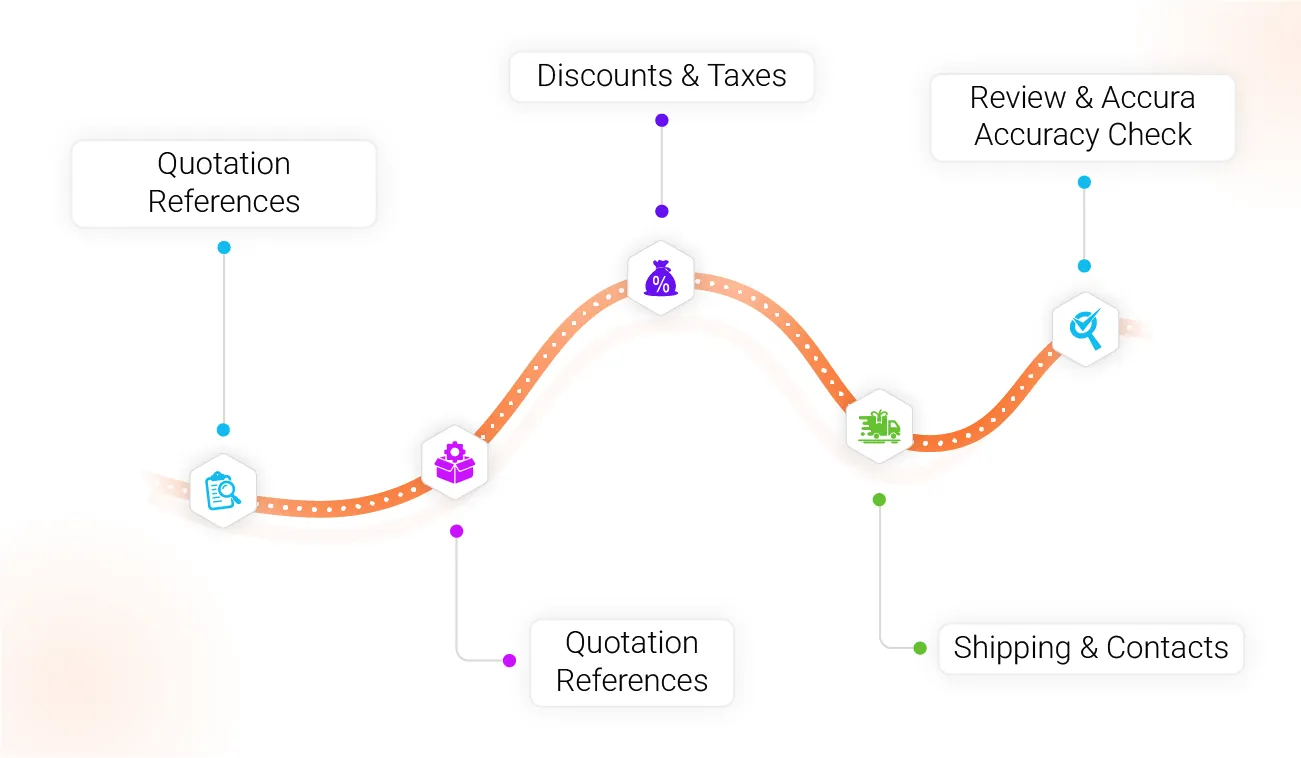
Government Quote Builder Products, Services & Pricing
Build detailed government contractor quotes with line-item precision. Add IT products with MSRP pricing, manufacturer part numbers (MPNs), and SKUs from your e-commerce catalog. Add services with labor categories, LCAT rates, and quantities. Apply GSA Schedule discounts, agency-specific terms, shipping costs, and applicable tax rules. Every line item is traceable to its source quote for audit purposes within government contractor invoicing.
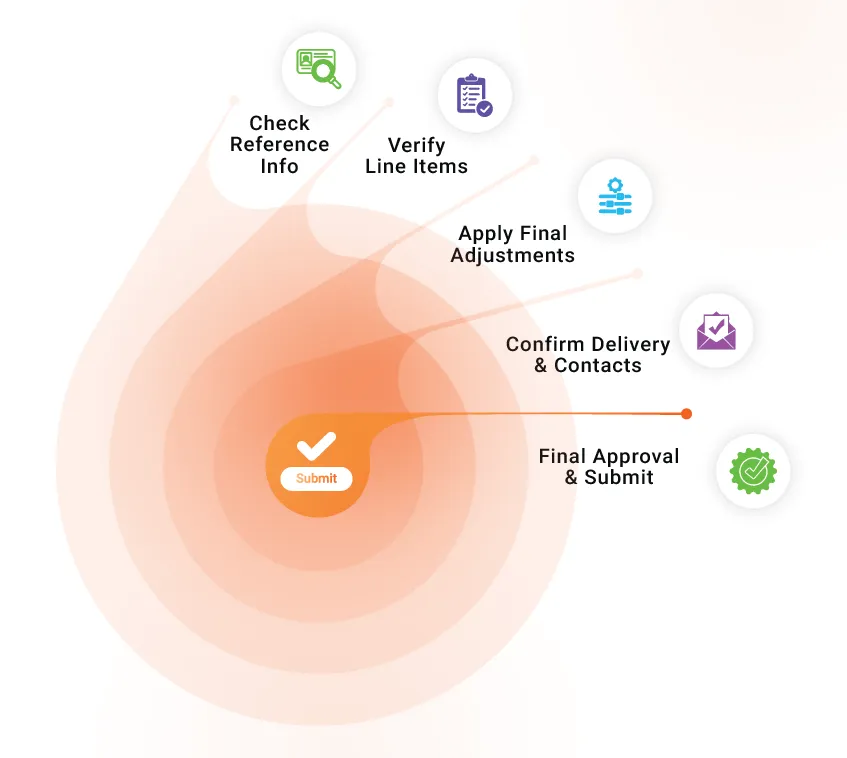
Quote Review & Government Submission Readiness Check
Before sending to a government agency or inserting into a proposal, GovOps360 checks your quotation for completeness, verifying all required fields, including CAGE code, DUNS/UEI number, contract reference, pricing accuracy, and delivery terms. Catch errors before they reach the contracting officer. Submit quotes that are professional, accurate, and compliant with agency requirements using government contractor invoicing.
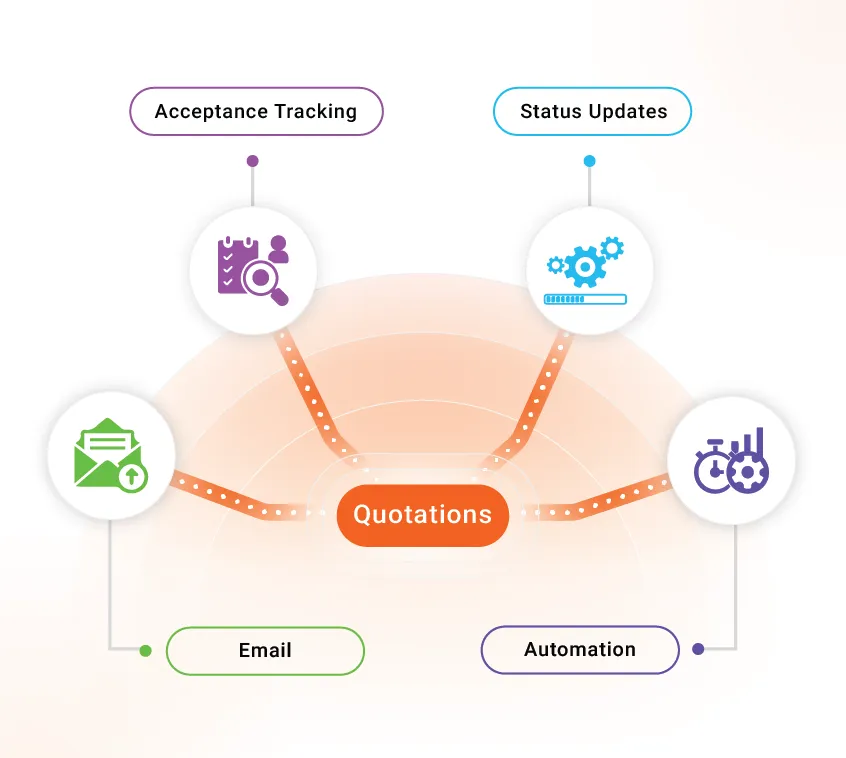
Government Agency Quote Delivery & Acceptance Tracking
Send quotations directly to government contracting officers, program managers, or contracting officer representatives (CORs) via email, with quote status updating automatically when the agency responds. Track acceptance, requests for clarification, and pricing negotiations in the quote activity log. When the agency accepts, convert to an invoice in one click through government contractor invoicing feature.
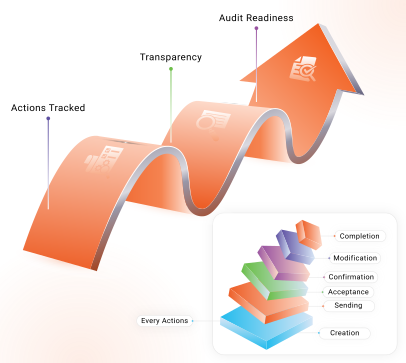
Quote Activity Log & Compliance Audit Trail
Every action on every government contractor quotation is logged in GovOps360, including creation date, sender, pricing versions, agency responses, acceptance confirmation, and invoice generation. The complete audit trail supports DCAA billing audits, internal compliance reviews, and contract dispute documentation. Government contractors billing under cost-reimbursable, T&M, or FFP contract types have a traceable record for every quote and invoice under government contractor invoicing.
The Four-Stage Government Contractor Quoting Process
Build Accurate Government Contractor Quotations
Start a new quotation from any active lead, active project, or from scratch. GovOps360 auto-populates government agency details, contract vehicle references, and pricing from your product catalog and vendor quote records. Add products with MSRP and MPN pricing, add labor categories and LCAT rates for services, apply GSA Schedule or agency-negotiated discounts, and build a complete, accurate government contractor invoicing in minutes.
Government Agency Quote Review & Approval
Send the completed quotation to the government contracting officer (COR) or program manager for review. GovOps360 tracks delivery, read status, and agency feedback in the quote activity log. If the agency requests price adjustments, quantity changes, or product substitutions, update the quote and re-send with all version history preserved for audit documentation.
Quote-to-Invoice Conversion Automatic & Accurate
When the government agency accepts the quotation, confirm acceptance in GovOps360 with one click. The platform automatically generates a DCAA-aligned invoice with all accepted line items, pricing, contract reference numbers, delivery terms, and billing period ready for review and posting. No manual re-entry. No billing errors from transcription. The invoice matches the accepted quote exactly.
Government Invoice Review, Compliance Check & Accounting Sync
Review the generated government invoice, verifying line item totals, applicable tax rules, contract ceiling compliance, and billing period accuracy. Run a final DCAA compliance check before posting. Post the invoice to GovOps360’s accounting module or sync with your external ERP system. Every posted government invoice generates a receivable entry and is tracked in the financial reporting dashboard in real time.
Optimize Your Quotation and Invoicing Workflow
Streamline your sales process, reduce errors, and convert quotations to invoices effortlessly with GovOps360.
Generate accurate government contractor quotations from leads in seconds with agency details, contract vehicle, pricing catalog, and vendor quote data auto-populated for RFQ responses and GSA Schedule orders.
Send quotations to government contracting officers and CORs, track acceptance status, manage pricing negotiations, and maintain a complete quote history for every government agency interaction.
Convert accepted government quotes to DCAA-aligned invoices automatically with all contract references, line items, and billing terms carried forward. Post directly to your accounting module for receivables tracking.
Every quote and invoice action is logged with timestamp, user, and version history maintaining a complete audit trail for DCAA billing audits, contract disputes, and internal compliance reviews
How GovOps360 Government Contractor Quoting and Invoicing Compares to Other Platforms
| Capability | GovOps360 | Market-intelligence tools | ERP / finance tools | BD / proposal tools |
|---|---|---|---|---|
| Quote & invoice lifecycle tracking | ✓ | Typically not | ✓ | Typically not |
| DCAA-aligned billing & financial tracking | ✓ | Typically not | ✓ | Typically not |
| Purchase-order lifecycle tracking | ✓ | Typically not | ✓ | Typically not |
| Invoices generated from contracts (no re-entry) | ✓ | Typically not | Limited | Typically not |
| Finance connected to capture, proposal & delivery | ✓ | Typically not | Limited | Typically not |
- Defense Contract Audit Agency (DCAA) Incurred Cost Submission and Contract Pricing Proposal adequacy checklists (billing/compliance basis) (Source: Defense Contract Audit Agency (DCAA), dcaa.mil)
- The $773 billion in federal contracts awarded in FY2024 were each preceded by a quoting or proposal process yet ERP platforms like Deltek Costpoint provide no lead-to-RFQ workflow, government quote builder, or quote-to-invoice conversion capability. They engage only after award. (Source: USASpending.gov FY2024 / deltek.com/en/products/costpoint)
- The GSA Multiple Award Schedule program generates approximately $50 billion in annual federal sales through more than 20,000 active contract holders, each required by law to maintain current, published price lists, making GSA-aligned quote generation a compliance requirement, not an optional feature. (Source: GSA FY2024 Annual Report, gsa.gov)
- The DCAA reviewed and questioned billions of dollars in contractor costs annually through its billing system audits, with contractors maintaining non-compliant invoicing systems subject to payment holds and additional scrutiny. Billing system adequacy is assessed against the criteria established in the DCAA Contract Audit Manual. (Source: DCAA Contract Audit Manual CAM 6-700 / DCAA Annual Report FY2023, dcaa.mil)
Got Questions?
We’ve Got Answers.
Find quick answers or contact our support team.
Our support team is here to guide you every step of the way. If you have any questions or need personalized assistance, reach out to us anytime. We’re just a message away.
1. What is an RFQ in government contracting?
2. Can I create a government contractor quotation directly from a lead?
3. How do I apply GSA Schedule discounts and MSRP pricing in GovOps360?
4. What is a CLIN in government contracting?
5. What happens after the government agency accepts a quotation?
6. Can I track the status of each government contractor quotation?
7. How does GovOps360 handle vendor quotes for government IT product procurement?
8. Is there an audit trail for all quotation and invoicing activities?
9. What is the difference between a government RFQ and RFP?
10. Can GovOps360 quotations be inserted directly into government proposals?
11. How does GovOps360 ensure DCAA-compliant government invoicing?
Generate Accurate Government Contractor Quotes and Invoices
GovOps360 manages the full government contractor quoting and invoicing workflow — from vendor quote requests for RFQ responses and GSA Schedule orders, through customer quotation generation with MSRP pricing, to automatic invoice creation and DCAA-aligned billing. Government contractors using GovOps360 replace disconnected Excel spreadsheets, email chains, and separate invoicing tools with one connected quoting platform.