

GovOps360
GovOps360 GovOps360

Government IT Contractor Product Catalog Software

GovOps360’s E-Commerce Module gives government IT contractors and value-added resellers (VARs) complete control over their product catalog from Cisco, Dell, HP, and Lenovo product lines to custom IT services. Manage MSRP pricing, manufacturer part numbers (MPNs), SKUs, and vendor-product relationships, and pull catalog items directly into government RFQ responses and proposal quotations.

GovOps360 manages IT product catalogs with MSRP pricing MPNs SKUs and vendor relationships for government contractors
GovOps360 centralizes IT product SKUs MPNs MSRP pricing and vendor data for government procurement workflows
Centralized Catalog
Keep all IT product categories, SKUs, MPNs, MSRP pricing, and vendor associations in a single searchable catalog covering your Cisco, Dell, HP, Lenovo, and custom product lines. Every item is available for instant insertion into government RFQ responses and GSA Schedule quotations.

Products added to the catalog are immediately available for government contractor quotations and can be inserted directly into proposal pricing sections.

Assign vendors during product creation and maintain vendor-product relationships for procurement and inventory clarity.

GovOps360 links vendors with IT products to maintain procurement visibility and supplier relationship tracking for GovCon teams
Upload PDF catalogs to auto-extract product data, review parsed results
Tour The Platform
Large-Scale Product Management

Five IT Product Catalog Management Tools for Government Contractors

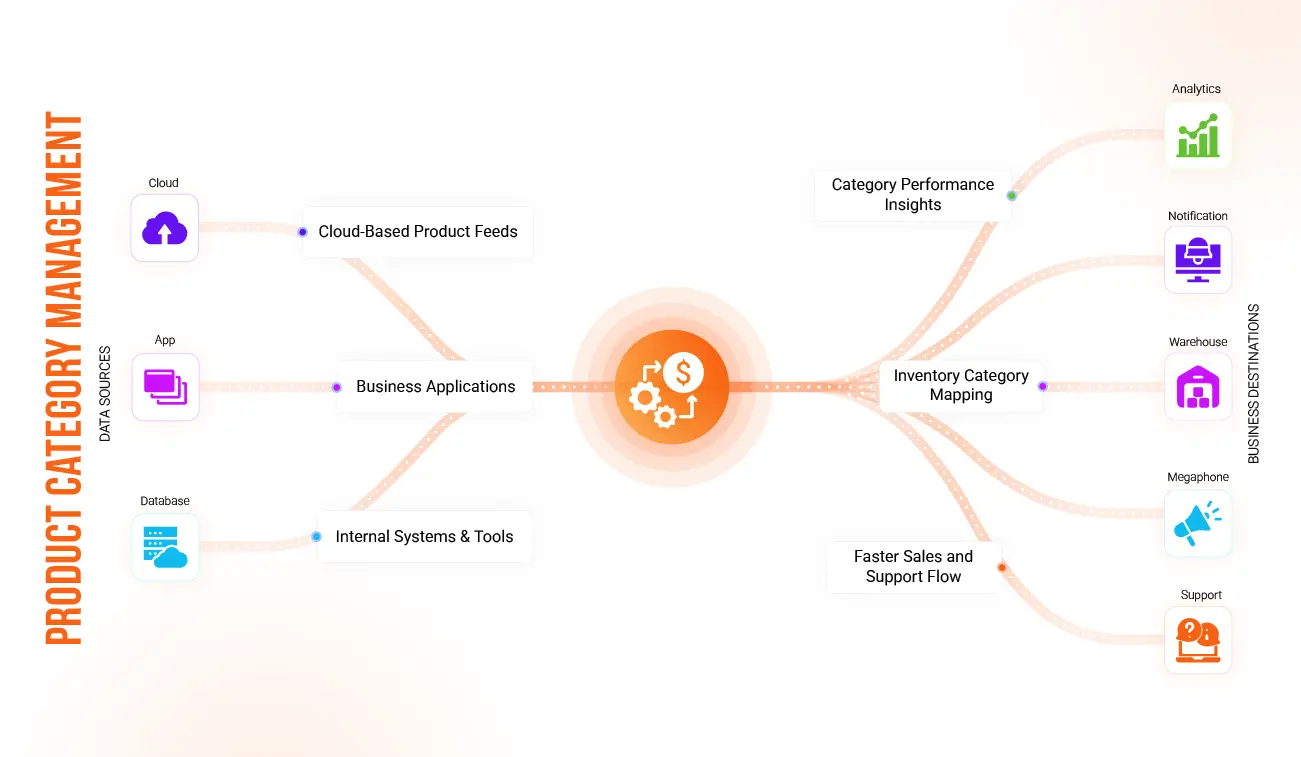
GovOps360 organizes government IT catalogs into structured hardware software networking and cybersecurity product categories

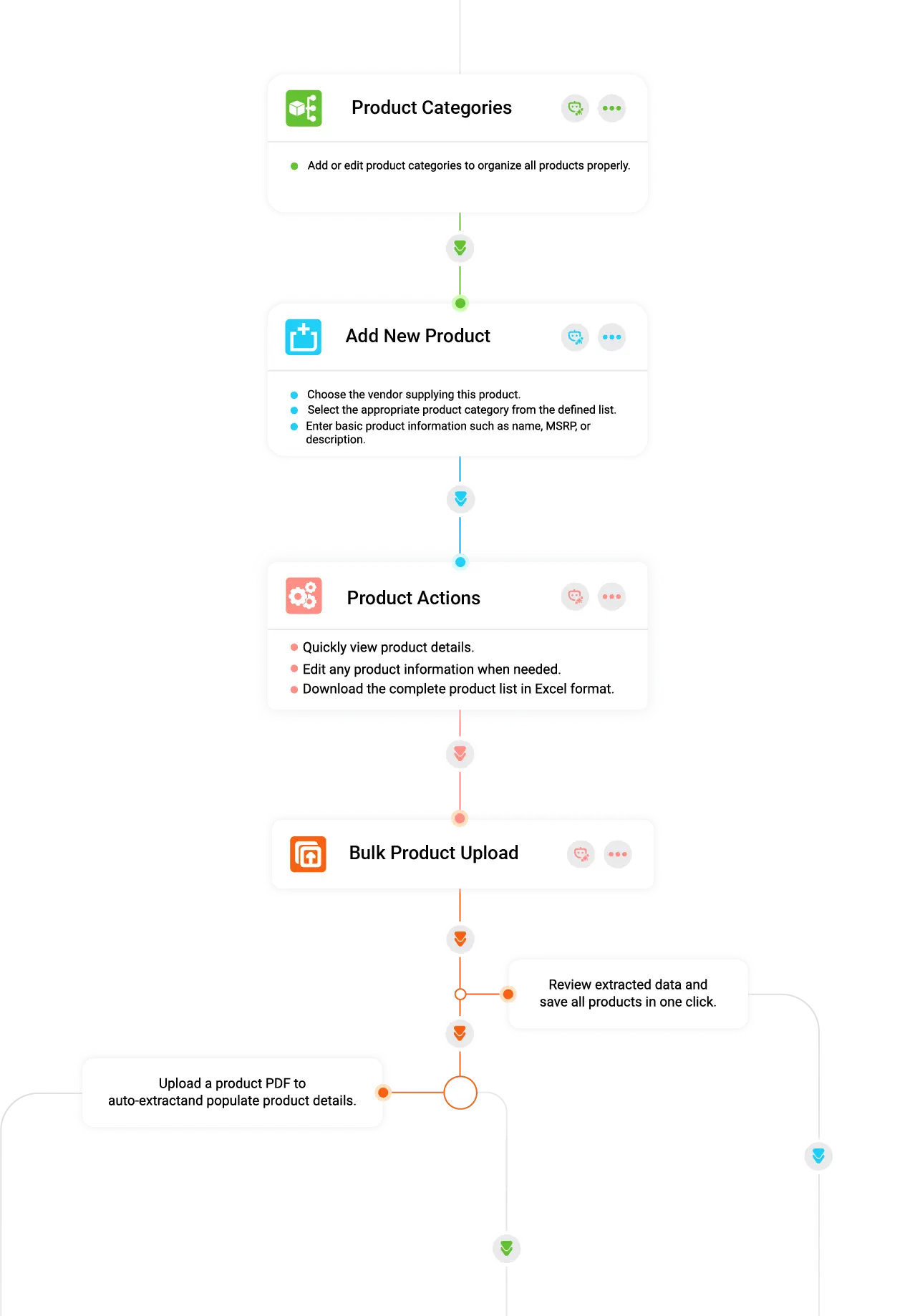
IT Product Category Management for Government Contractor Catalogs

Organize your complete government IT product catalog by creating structured categories. Hardware, Software, Networking, Cybersecurity, Professional Services, and custom categories for your specific product lines. A well-structured category system ensures every Cisco, Dell, HP, and Lenovo product is correctly classified, making it fast to find the right item when responding to a government agency’s RFQ or building a proposal pricing section.

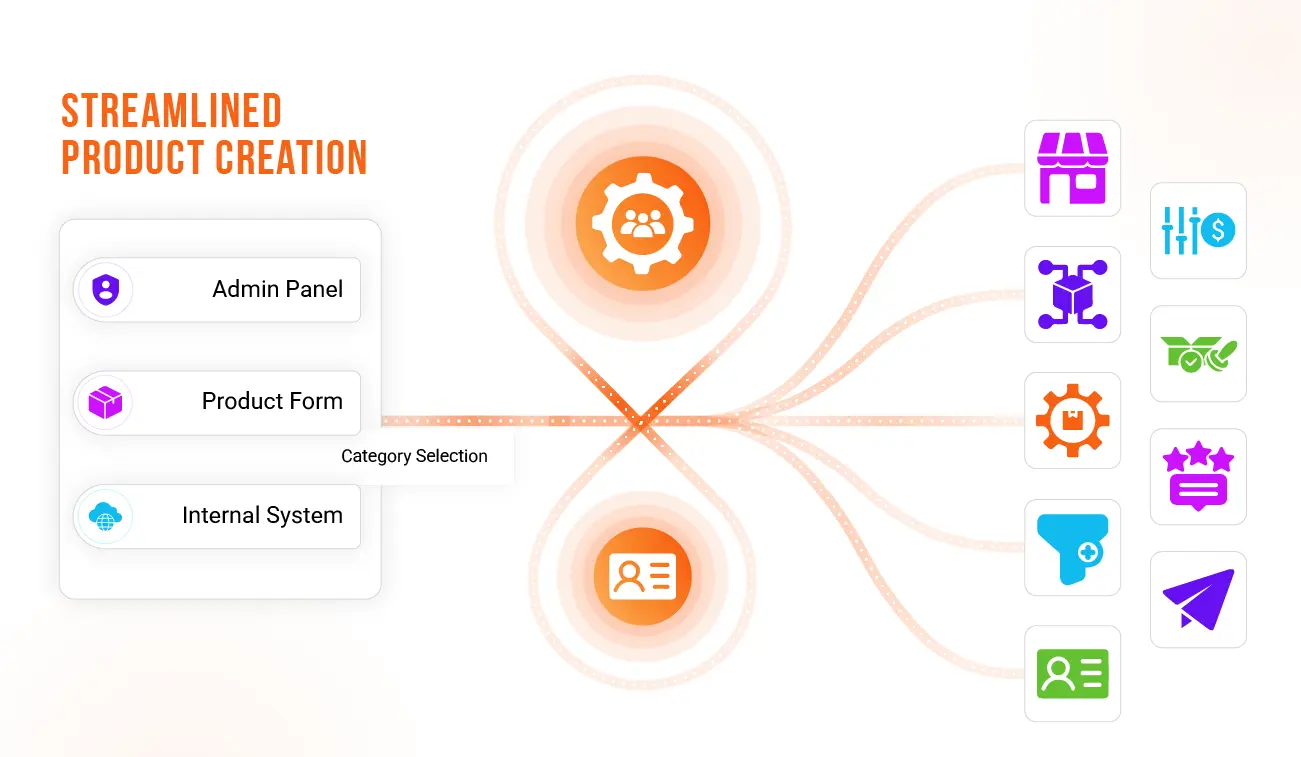
GovOps360 enables fast IT product creation with MPN SKU MSRP vendor details for government contracting catalogs and RFQs

Streamlined New Product Creation by Adding IT Products with MPN, SKU, MSRP & Vendor Details

Add any IT product to your government contractor catalog in minutes — enter the product name, manufacturer part number (MPN), SKU, MSRP pricing, technical description, product category, and authorized vendor. Products are immediately available for government RFQ responses, GSA Schedule quotations, and proposal pricing sections. New products added from a vendor price list or distributor catalog are searchable and quotable instantly.

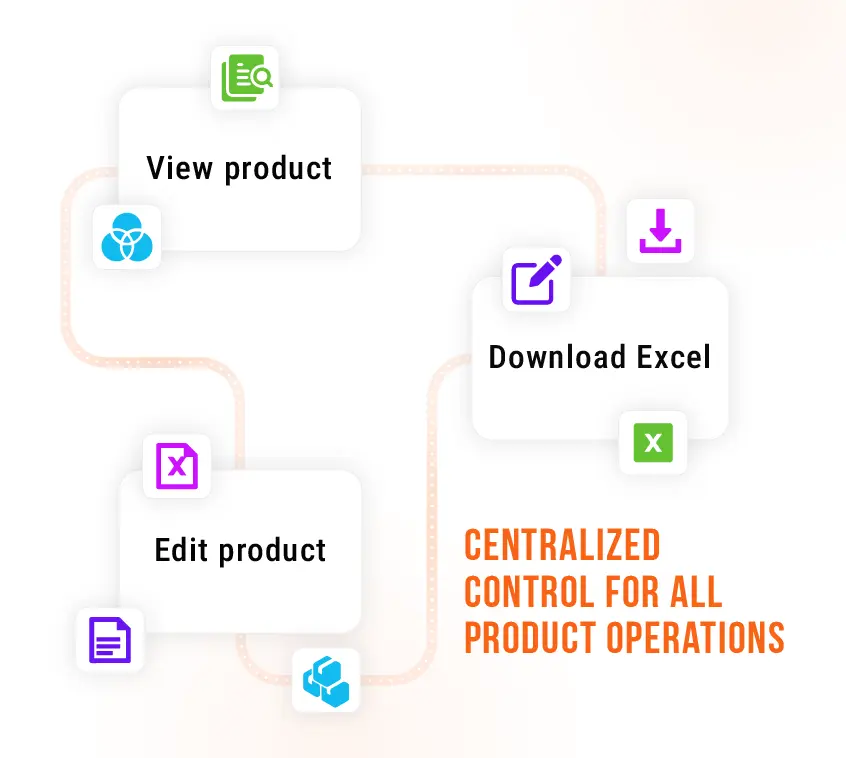
GovOps360 lets users view update and export IT product catalog data including MPN SKU MSRP and vendor details for GovCon use

Comprehensive Product Actions

Access complete product records instantly, view full MPN, SKU, MSRP, vendor, and description data without navigating away. Update any field when vendor pricing changes, part numbers are revised, or product specifications are updated. Export your entire IT product catalog as an Excel file for offline review, government quote preparation, or GSA Advantage catalog submission support.

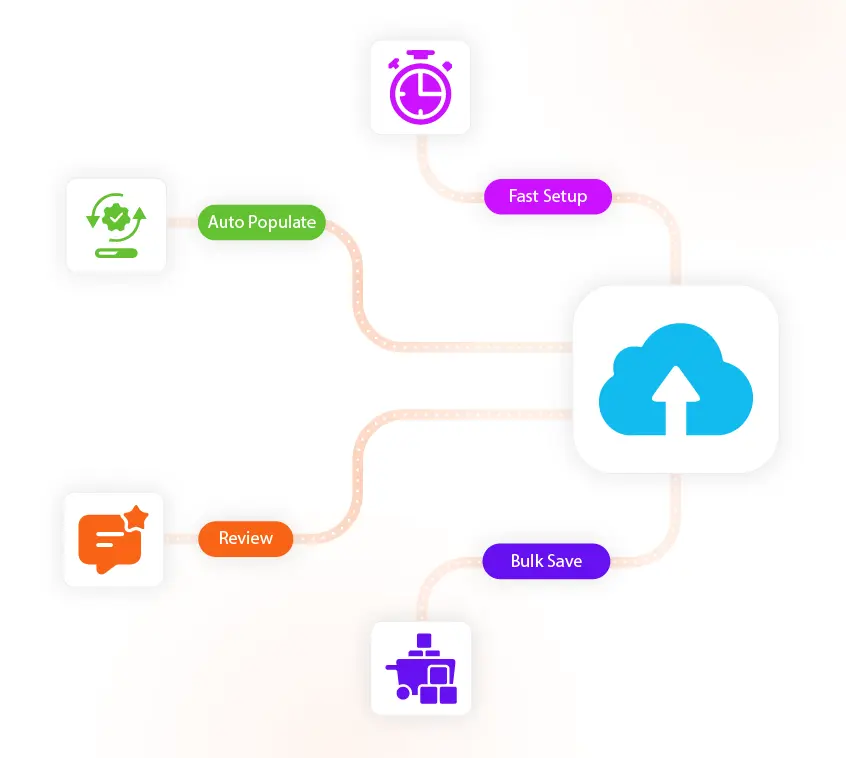
GovOps360 extracts IT product data from vendor PDFs including SKUs MPNs pricing and descriptions for bulk catalog creation

Smart Bulk Product Upload

Upload any vendor price list or distributor catalog as a PDF GovOps360 automatically extracts product names, manufacturer part numbers (MPNs), SKUs, MSRP pricing, and descriptions. Review the extracted data, validate entries, apply category and vendor assignments, and publish the entire batch to your active government contractor catalog. 

GovOps360 Government IT Product Catalog Software Quick Edit Feature

Quick View & Editing Panel

Review full product details MPN, SKU, MSRP, vendor, description, category, and version history in the integrated Quick View panel without leaving your current workflow. Make inline edits when MSRP changes, new models replace old part numbers, or vendor information is updated. Keep government contractor product data accurate and current without interrupting quoting or proposal work.

E-Commerce Capabilities

How Government IT Contractors Manage Product Catalogs

Government IT Catalog Overview

Your complete government IT product catalog all hardware, software, networking equipment, and technology services, is visible in one searchable dashboard. Filter by vendor, category, MSRP range, or product type. Every catalog item shows its MPN, SKU, MSRP, associated vendor, and availability status at a glance. Your pricing team, proposal writers, and BD managers all work from the same accurate, up-to-date product data.

IT Product Catalog Management

Add individual IT products with full GovCon-required fields, MPN, SKU, MSRP, technical specification, product category, vendor, and GSA Schedule pricing where applicable. Create and manage product categories that reflect your catalog structure hardware by OEM, software by publisher, services by NAICS code. Update MSRP pricing, revise part numbers, and manage vendor associations as technology pricing and product lines evolve.

Bulk IT Product Import & Data Management

Manage all bulk import operations from a central data hub uploaded vendor PDF catalogs, extraction histories, validation logs, and published product batches. Review past imports to verify what was added, correct extraction errors, and re-process files when vendors release updated price lists. Every import is logged with a timestamp and user identity for full traceability, supporting internal audit requirements and catalog accuracy verification.

Build a Government-Ready IT Product Catalog Structured, Accurate & Proposal-Connected

GovOps360’s E-Commerce Module gives government IT contractors and VARs a centralized product catalog that connects directly to the quoting and proposal generation workflow. IT products with MSRP, MPN, and SKU data maintained in the catalog can be pulled instantly into government RFQ responses, GSA Schedule quotations, and proposal pricing sections, eliminating manual product lookup and copy-paste errors across procurement documents

Teams gain clarity, reduce manual effort, and work with the confidence 👋
GovOps360 improves team collaboration and reduces manual work by keeping IT product catalog data accurate and synchronized
Operational Benefits

Build Your Government IT Product Catalog

Connected to Quoting, Proposals, and Procurement

With clear organization, smarter tools, and structured processes, your ecommerce environment becomes easier to maintain and scale.

GovOps360 enables scalable management of IT product catalogs linked to proposals procurement and government contracting workflows
This foundation helps ensure smooth operations as your business grows.
GovOps360 improves team collaboration and reduces manual work by keeping IT product catalog data accurate and synchronized
E-Commerce FAQs

Got Questions?
We’ve Got Answers.

Find quick answers or contact our support team.

Our support team is here to guide you every step of the way. If you have any questions or need personalized assistance, reach out to us anytime we’re just a message away.

1. What is the GovOps360 E-Commerce Module and who is it for?
GovOps360's E-Commerce Module is a government IT contractor product catalog purpose-built for technology value-added resellers (VARs), IT solution providers, and government contractors managing product lines from vendors like Cisco, Dell, HP, and Lenovo. It centralizes MSRP pricing, manufacturer part numbers (MPNs), SKUs, and vendor associations — and connects the catalog directly to government RFQ response quoting, proposal generation, and purchase order management.
2. How does the PDF bulk upload handle inconsistent data formats or missing fields?
GovOps360's bulk upload engine runs a two-stage process for vendor IT price lists and distributor catalogs: (1) Extraction and Normalization it extracts product fields and normalizes common variants (MSRP, Price, List Price, MPN, Part Number) into standard catalog columns; (2) Validation and Review anomalies such as missing SKUs, invalid pricing, or ambiguous categories are flagged in a review grid with suggested corrections. Users can correct entries inline or reject individual rows before the batch is published to the active government contractor catalog.
3. Can I roll back a bulk import if issues are discovered after saving?
Yes. Every bulk import in GovOps360 creates a transactional batch record. If errors are found after saving incorrect MSRP pricing, wrong MPNs, or miscategorized IT products admins can revert the batch, which removes the added or updated records and restores the prior catalog state. The rollback logs who performed the revert, when, and the reason — maintaining a clean audit trail for catalog accuracy verification and internal compliance reviews.
4. What is MSRP in government IT procurement?
MSRP stands for Manufacturer Suggested Retail Price the price a technology manufacturer recommends as the baseline retail price for a product. In government IT procurement, MSRP is used as the reference price from which GSA Schedule discounts, agency-negotiated pricing, and volume discounts are calculated. Government IT contractors and VARs use MSRP as a standard reference point in RFQ responses and GSA Schedule quotations to demonstrate fair and reasonable pricing to contracting officers.
5. What is a manufacturer part number (MPN) and why does it matter for government contractors?
A manufacturer part number (MPN) is a unique identifier assigned by a technology manufacturer to a specific product model for example, a Cisco router model or a Dell laptop configuration. MPNs are used in government IT procurement documents, GSA Schedule catalogs, and RFQ responses to identify exact products without ambiguity. Government contracting officers use MPNs to verify that the product delivered matches what was quoted. GovOps360 stores MPNs for every catalog item, ensuring that quotations and invoices reference the exact product specified in the government's solicitation.
6. How are vendor-product relationships maintained when a vendor changes terms or pricing?
Vendor-product associations in GovOps360 are maintained as separate link records from core product data. When a technology vendor Cisco, Dell, HP, or a distributor like Ingram Micro updates pricing, revises part numbers, or changes product availability, a vendor-specific update is applied without altering the catalog's canonical product record. Previous vendor pricing is preserved in the version history for audit purposes. Government contractors can track MSRP changes over time to ensure that historical quotations and invoices remain accurately documented.
7. What controls prevent accidental edits or unauthorized product exports?
GovOps360's E-Commerce Module uses role-based permissions governing every catalog action. Permissions are assigned by role: create/edit products, approve bulk imports, export product lists, and manage vendor associations. Product catalog exports (Excel/CSV containing MSRP, MPN, and SKU data) can be restricted to specific roles and require an export reason logged in the activity trail. For government contractors handling proprietary pricing data or GSA Schedule contract pricing, this access control ensures catalog data is protected from unauthorized distribution.
8. What is GSA Advantage and how does an IT product catalog connect to it?
GSA Advantage is the federal government's online product and services catalog used by government agencies to search and order from GSA Schedule contractors. To list products on GSA Advantage, contractors must maintain accurate catalog data (product names, MPNs, SKUs, MSRP, and GSA Schedule pricing) and submit through GSA's FAS Catalog Platform (FCP). GovOps360's E-Commerce Module manages the contractor's internal product catalog maintaining clean, accurate product data that can be referenced when preparing GSA Advantage submissions and ensuring that RFQ response pricing is consistent with GSA Schedule contract terms.
9. Does GovOps360's product catalog integrate with quoting and proposal tools?
Yes. GovOps360's E-Commerce Module is directly connected to the Quotations & Invoicing module and the Proposal Generation module. Products in the catalog can be searched and inserted into government RFQ responses, GSA Schedule quotations, and proposal pricing sections with MSRP, MPN, SKU, and vendor data populating automatically. This eliminates manual product lookup and copy-paste errors across procurement documents, ensuring that every quotation and proposal references accurate, current product data.
10. What reporting and integration options exist for syncing catalog data with external systems?
GovOps360 provides catalog export templates with customizable column sets exportable as Excel or CSV files for offline review, GSA Advantage catalog preparation, or ERP integration. Scheduled exports and API/webhook endpoints are available for real-time synchronization with external systems such as ERPs, procurement platforms, and distributor feeds. Each sync job logs transfer status and row-level errors. Government IT contractors can map GovOps360 catalog fields to their external system requirements using the field mapper interface.

Manage Your Products Effortlessly With a Centralized System

GovOps360’s E-Commerce Module gives government IT contractors and VARs a centralized product catalog with MSRP pricing, MPN tracking, SKU management, and bulk PDF import connected directly to RFQ quoting and proposal generation.

Create your account