


GovOps360
GovOps360 GovOps360

Auto-Sync RFP Deadlines, Milestones & Deliverable Dates

GovOps360 automatically syncs every government contracting deadline to a unified calendar RFP submission windows, pre-bid conference dates, questions due dates, proposal due dates, contract milestones, CDRL submission schedules, and period of performance expirations. Manual events for meetings, site visits, and internal reviews sit alongside automated GovCon deadlines in one connected schedule synced to Google Calendar, Microsoft Outlook, and Microsoft Teams.

GovOps360 syncs RFP deadlines milestones and contract dates into a unified government contracting calendar across platforms
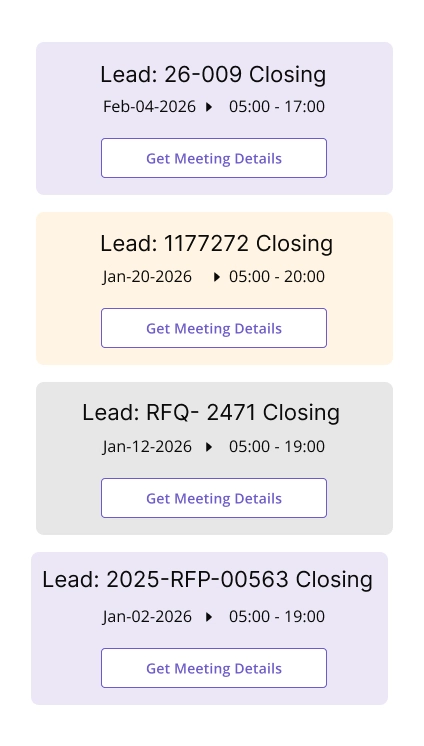
GovOps360 auto populates government contract deadlines from lead records including RFP and proposal schedules with real time updates
Lead-Driven Automation
Every deadline on a GovOps360 lead auto-populates the calendar RFP submission window, pre-bid conference date, questions due date, proposal due date, site visit schedule, and award date. When the lead record is updated, the calendar updates instantly. No manual entry. No missed RFP deadlines.

Create custom events like meetings, reminders, or tasks that complement automatic events.

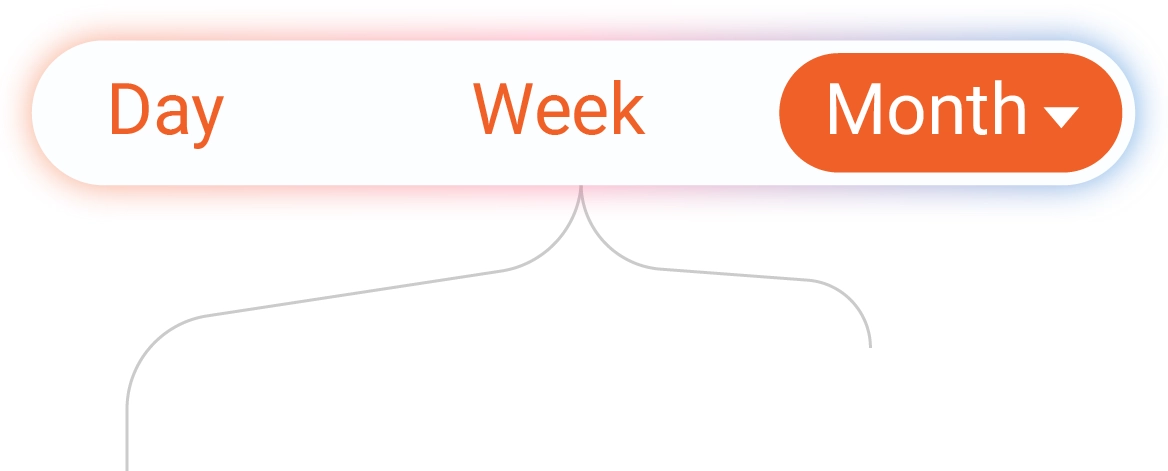
Switch seamlessly between Day, Week, Month, or Agenda/List views to plan effectively.

GovOps360 lets users switch between day week month and agenda views for managing government contracting schedules
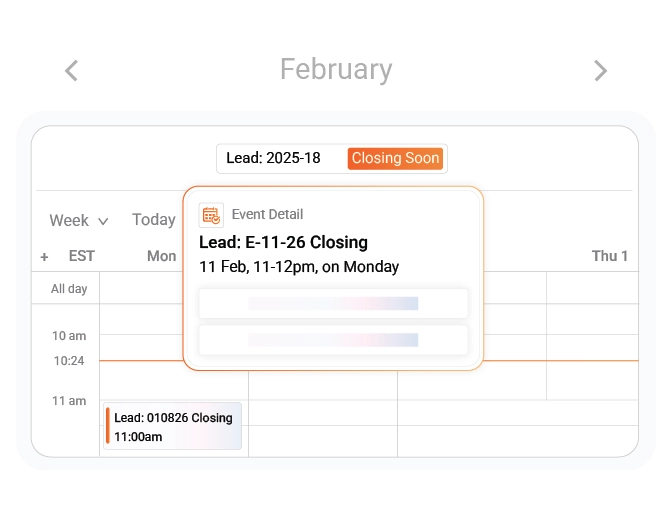
Update deadline details or add reminders directly from the event detail view without navigating away.
Tour The Platform
Organize All Events in One Calendar

Combine automatic lead events and manual entries for a fully interactive, streamlined schedule.

Experience a unified calendar that brings together automated lead-based events and custom manual entries. Plan efficiently, view schedules clearly, and interact with every event for complete operational visibility.

01
Automatic Event Sync from Leads
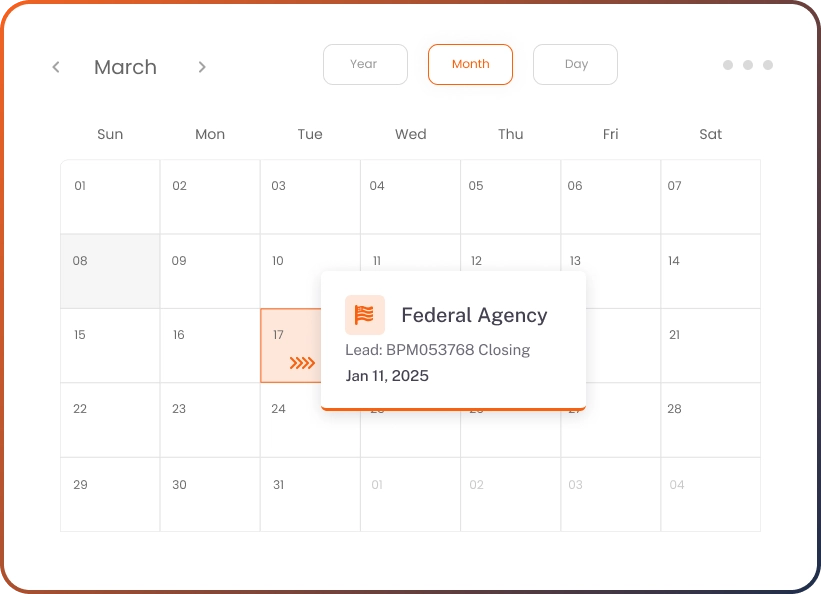
Every deadline in a GovOps360 lead record populates the calendar automatically RFP submission window, proposal due date, pre-bid conference date, questions due date, site visit schedule, and contract award date. When a contracting officer issues an amendment extending the proposal due date, updating the lead record instantly updates the calendar. No manual entry, no forgotten RFP amendments, no missed government submission windows
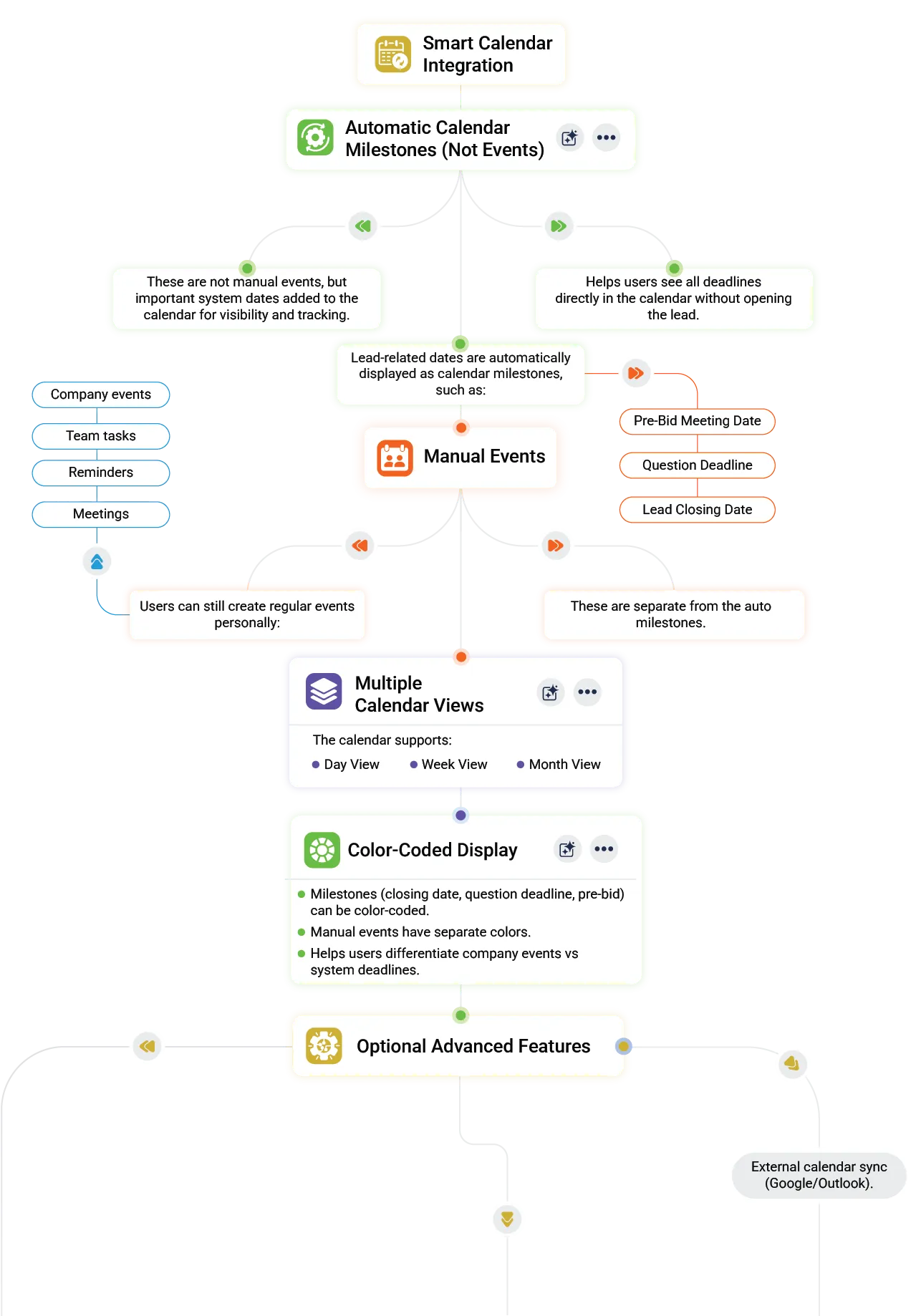
GovOps360 merges automated lead deadlines and manual events into one government contracting calendar for full schedule control
GovOps360 combines automatic lead based deadline syncing with manual calendar entries for government contracting schedules
02
Manual Event Creation
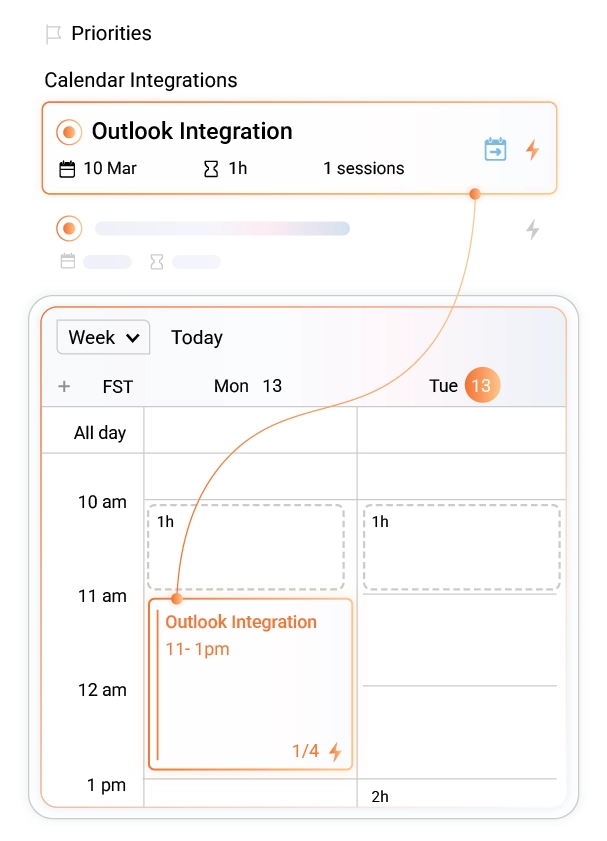
Supplement automated RFP and contract deadline events with manually created GovCon-specific events BD strategy meetings, proposal kick-off calls, Pink Team and Red Team review sessions, agency relationship meetings, site visits, subcontractor coordination calls, and internal milestone reviews. All manual events appear alongside automated deadline events in the unified GovCon calendar. Sync to Google Calendar, Outlook, or Microsoft Teams with one connection.
GovOps360 allows manual scheduling of GovCon meetings proposal reviews and agency engagements alongside automated deadlines
03
Unified Calendar Views
Switch between Day, Week, Month, and Agenda views to manage your government contracting schedule across different planning horizons. Day view for today's pre-bid conferences and submission deadlines. Week view for proposal writing sprint planning. Month view for the BD pipeline's upcoming RFP submission windows. Agenda view for a complete chronological list of all GovCon deadlines across leads and contracts.
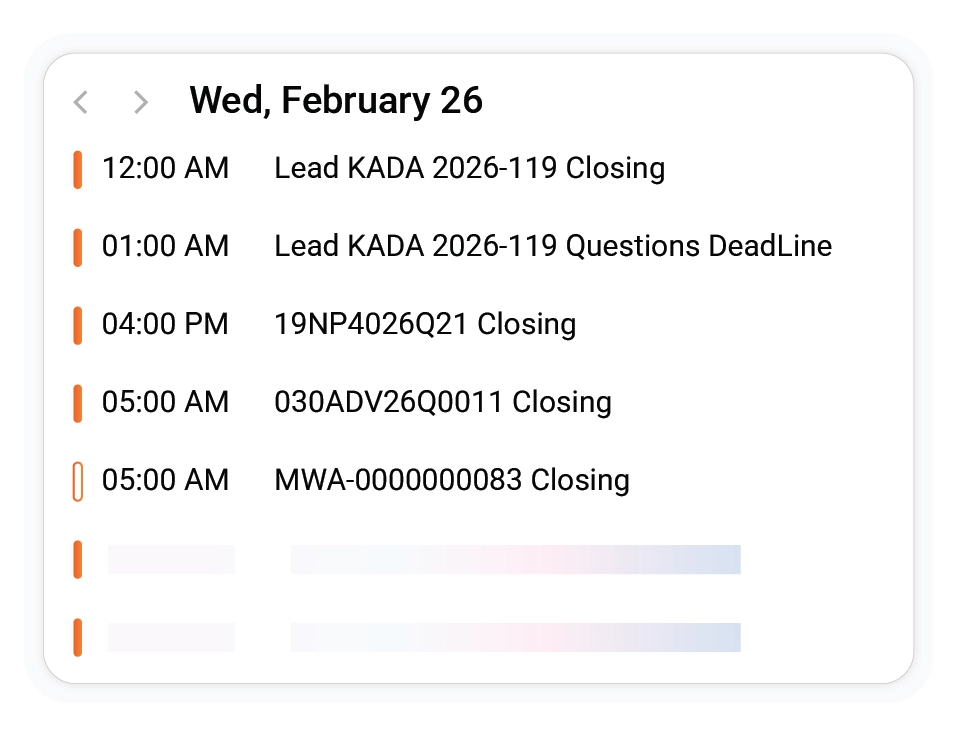
GovOps360 day view shows government contracting deadlines pre bid conferences and submission events for daily execution planning
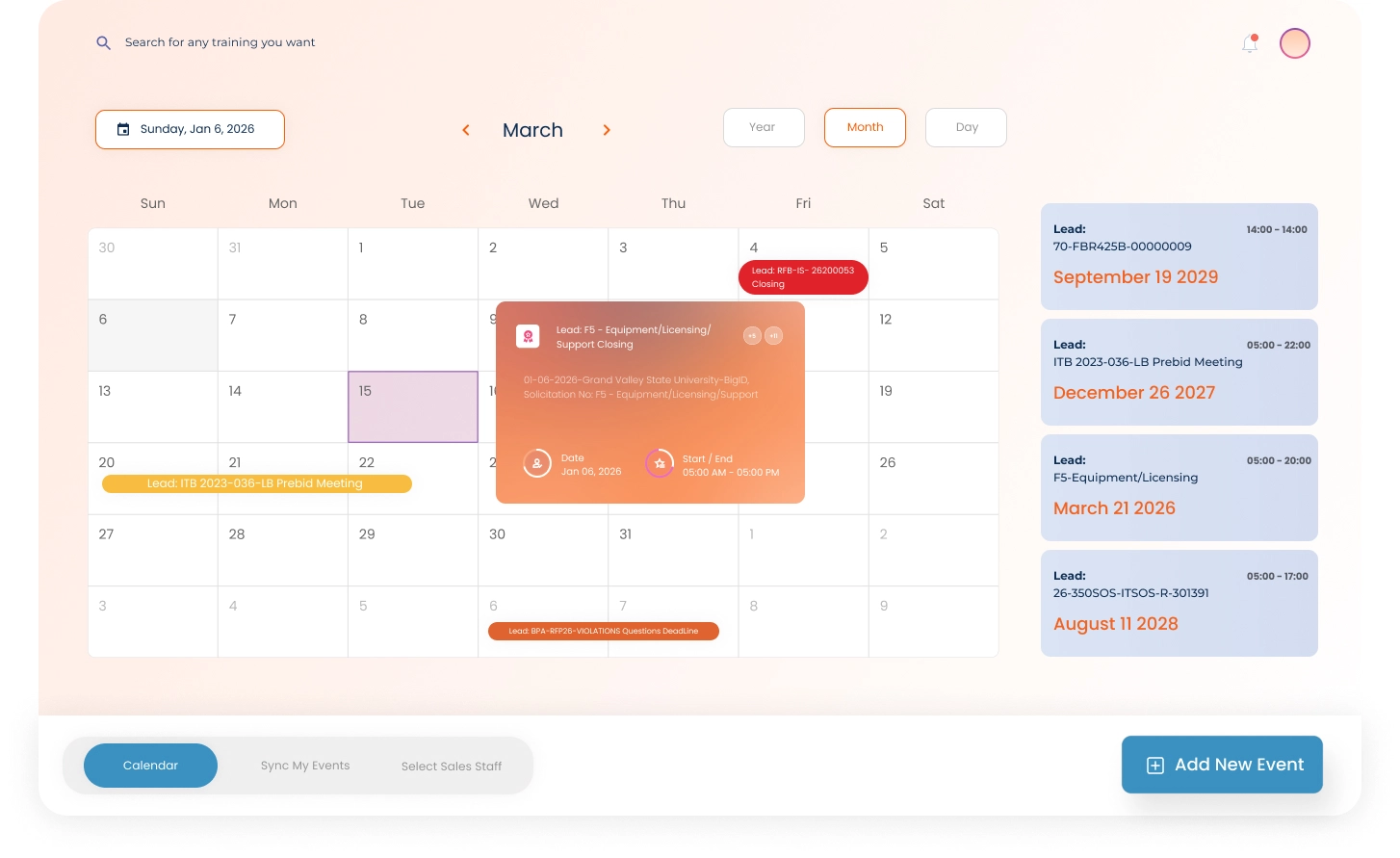
GovOps360 month and agenda views display upcoming RFP deadlines and government contracting pipeline events in chronological order
GovOps360 week view organizes proposal writing sprints and team activities for government contracting bid preparation

Sync With Your Favorite Tools

Sync GovCon Deadlines Across Microsoft Teams, Google Calendar & Outlook  GovOps360 connects your government contractor calendar to the tools your team already uses. Microsoft Teams, Google Calendar, and Microsoft Outlook. RFP submission deadlines, pre-bid conference dates, contract milestones, and period of performance expirations sync automatically across all three platforms.

GovOps360 syncs government contracting deadlines across Microsoft Teams Google Calendar and Outlook for unified scheduling
  • Microsoft Teams Sync
  • Google Calendar Integration
  • Outlook Calendar Connection
FAQs

Got Questions?
We’ve Got Answers.

Find quick answers or contact our support team.

Our support team is here to guide you every step of the way. If you have any questions or need personalized assistance, reach out to us anytime. We’re just a message away.

1. Where can I see leads with upcoming proposal submission deadlines?
In GovOps360, all lead-linked deadlines RFP submission windows, proposal due dates, pre-bid conference dates, and questions deadlines appear automatically on the Smart Calendar the moment a lead is created or updated. View upcoming proposal submission deadlines in any calendar view: today's deadlines in Day view, this week's submission windows in Week view, or all active RFP due dates in Month view. Click any calendar event to open the linked lead record and see the full RFP details.
2. Does the calendar stay updated automatically when RFP deadlines change?
Yes. When a contracting officer issues an RFP amendment that changes the proposal due date, questions deadline, or pre-bid conference date, updating the lead record in GovOps360 instantly updates the calendar. All three connected calendar platforms Google Calendar, Microsoft Outlook, and Microsoft Teams reflect the change automatically. RFP amendments are among the most common sources of missed proposal deadlines for government contractors managing multiple active pursuits simultaneously.
3. Where can I view upcoming pre-bid conferences and Q&A deadlines?
All pre-bid conferences, industry days, questions due dates, and oral presentation schedules are automatically added to the GovOps360 Smart Calendar from lead records. Use the Agenda/List view to see all upcoming GovCon events in chronological order pre-bid conferences are displayed with the linked lead name, RFP number, and mandatory/optional attendance designation. Reminders are sent before pre-bid conference dates, so your BD team receives advance notice for mandatory attendance requirements.
4. Can I click a calendar event to see the linked lead or contract details?
Yes. Clicking any calendar event in GovOps360 opens the event detail panel showing the linked lead or contract record, RFP number, submission deadline with time zone, required submission format, attached documents, and any notes added to the record. For post-award contract deadline events, the linked project record shows milestone details, deliverable requirements, and responsible team members. All GovCon context is one click away no switching between the calendar and separate lead or contract management screens.
5. Can multiple team members view the same GovCon calendar events?
Yes. All lead-linked and contract-linked calendar events in GovOps360 are visible to all authorized team members BD managers, proposal writers, program managers, and contracts staff all see the same unified GovCon calendar. Team members using Microsoft Teams, Google Calendar, or Microsoft Outlook receive the synced events on their personal platforms as well. This ensures every team member working on an active pursuit or contract knows the relevant deadlines without requiring manual distribution of deadline trackers.
6. What is a period of performance in government contracting?
The period of performance (PoP) is the contractually defined timeframe during which a government contractor must deliver the contracted work from contract start date to contract end date. The PoP is stated in the contract and includes the base period and any option periods. Government contractors must track PoP expirations carefully — failing to complete deliverables within the PoP, or missing the government's window to exercise an option year, can result in contract termination or loss of the option. GovOps360 automatically adds PoP expirations and option year decision dates from contract records to the Smart Calendar, with advance reminders set before critical dates.
7. What is an option year in a government contract?
An option year in a government contract is an additional performance period beyond the base period that the government agency may exercise at its discretion typically one year at a time. Option years are priced and included in the original contract, but the government is not obligated to exercise them. Contractors should track option year decision dates carefully if the government fails to notify the contractor of its option exercise decision before the deadline, the contract may expire. GovOps360 adds option year decision dates from contract records to the Smart Calendar automatically, with advance reminders for program managers and contracts staff.
8. Does GovOps360 integrate with Google Calendar, Microsoft Outlook, and Microsoft Teams?
Yes. GovOps360's Smart Calendar Integration connects directly with Google Calendar, Microsoft Outlook, and Microsoft Teams. Government contracting events RFP submission deadlines, pre-bid conferences, contract milestones, and period of performance dates sync to all three platforms automatically. Team members receive events on the calendar platform they already use, without requiring everyone to adopt a new calendar tool. Changes to deadlines in GovOps360 update the connected calendars automatically.
9. How does GovOps360 handle RFP amendments that change proposal deadlines?
When a government agency issues an RFP amendment that modifies the proposal submission deadline, questions due date, or pre-bid conference date, updating the corresponding lead record in GovOps360 immediately updates the Smart Calendar. The change propagates to all connected calendar platforms Google Calendar, Outlook, and Teams automatically. Team members with reminders already set for the original deadline receive updated notifications for the new deadline. This prevents the most common cause of missed government proposal deadlines: an amendment changes the date, but the manual tracker is not updated.
10. What GovCon events does GovOps360 add to the calendar automatically?
GovOps360 automatically adds eight categories of government contracting events to the Smart Calendar: (1) RFP submission windows from lead records; (2) pre-bid conference and industry day dates; (3) questions due dates and amendment windows; (4) oral presentation and demonstration schedules; (5) contract award decision dates; (6) contract deliverable milestones and CDRL due dates; (7) period of performance expirations; and (8) option year decision dates from contract records. Manual events for BD meetings, proposal reviews, and team coordination can be added alongside automated events.

Never Miss a Government Contracting Deadline, Auto-Synced Calendar for Your Entire GovCon Team

GovOps360’s Smart Calendar Integration automatically tracks every government contracting deadline, RFP submission windows, pre-bid conference dates, questions due dates, proposal due dates, contract deliverable milestones, CDRL submission schedules, period of performance expirations, and option year decision dates, all synced to Microsoft Teams, Google Calendar, and Microsoft Outlook. Replace the combination of manual spreadsheet trackers, email reminders, and disconnected calendar entries that most GovCon teams use to manage procurement deadlines.

Create your account